Capture
Natural-language input
Type or speak tasks with times and durations. Flux parses intent on device — "gym at 6 for an hour" lands on your timeline.
Time is the list
Flux unifies your tasks and schedule into one machined timeline — capture naturally, plan in place, and let your day read like an instrument panel.
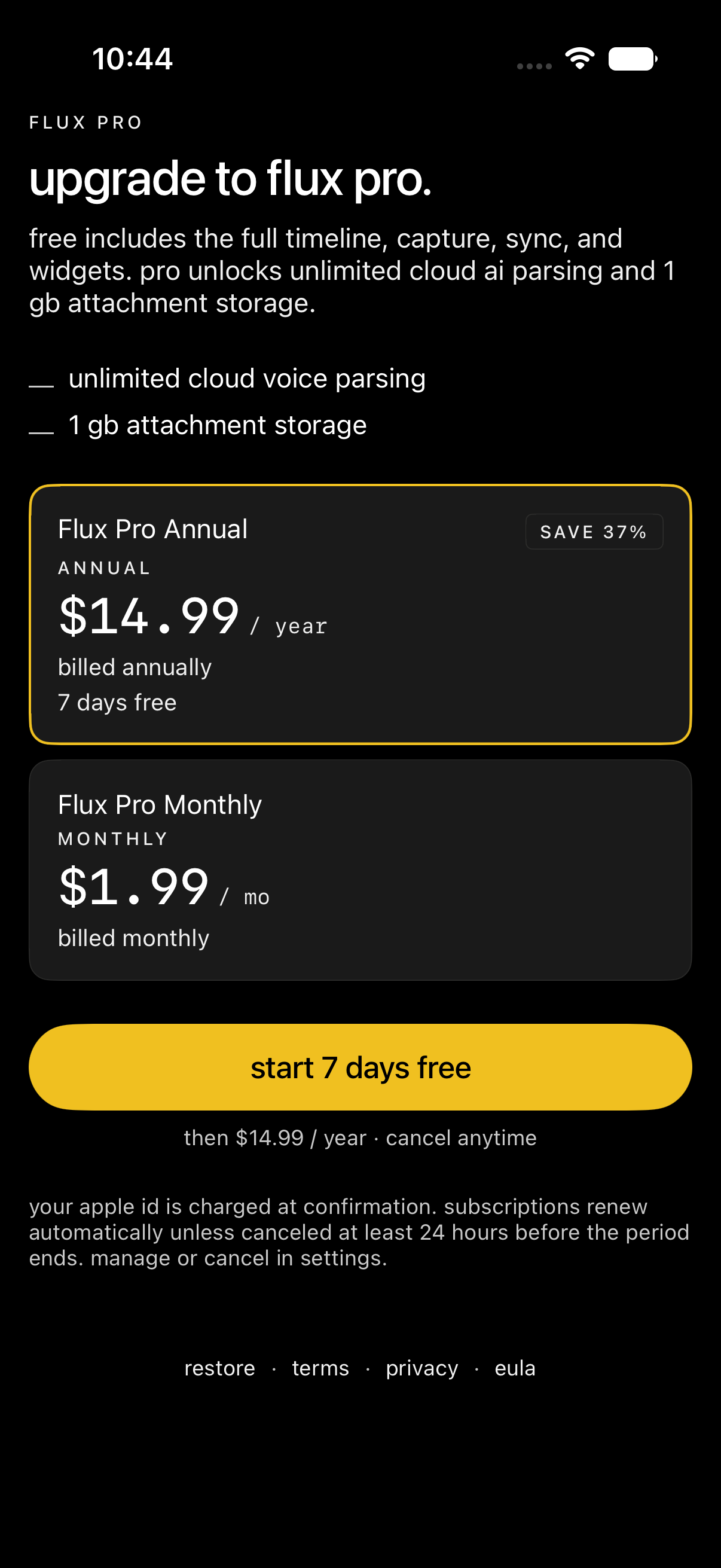
Available now on iPhone. The planner is free — Flux Pro adds unlimited cloud AI parsing and 1 GB attachment storage from $1.99/month. Annual plans include a 7-day free trial.
The thesis
Most apps split todos and calendars into separate mental models. Flux treats them as one object: a task without time is a todo; a block with time is an event.
Capture in plain language. Schedule in place. See your whole day on a single machined timeline — with calendar overlay, reminders, and voice when you need speed.
Voice capture
Hold the mic and ramble — “water plants at 7 tomorrow, call mom at 5, pick up Sarah’s cake at 4:30” — on-device transcription keeps speech private. Optional Cloud AI turns your voice note into scheduled tasks.
On-device transcription · optional Cloud AI parsing
See it in action
Capture a pilates class, brunch with friends, and a call home — without switching apps.
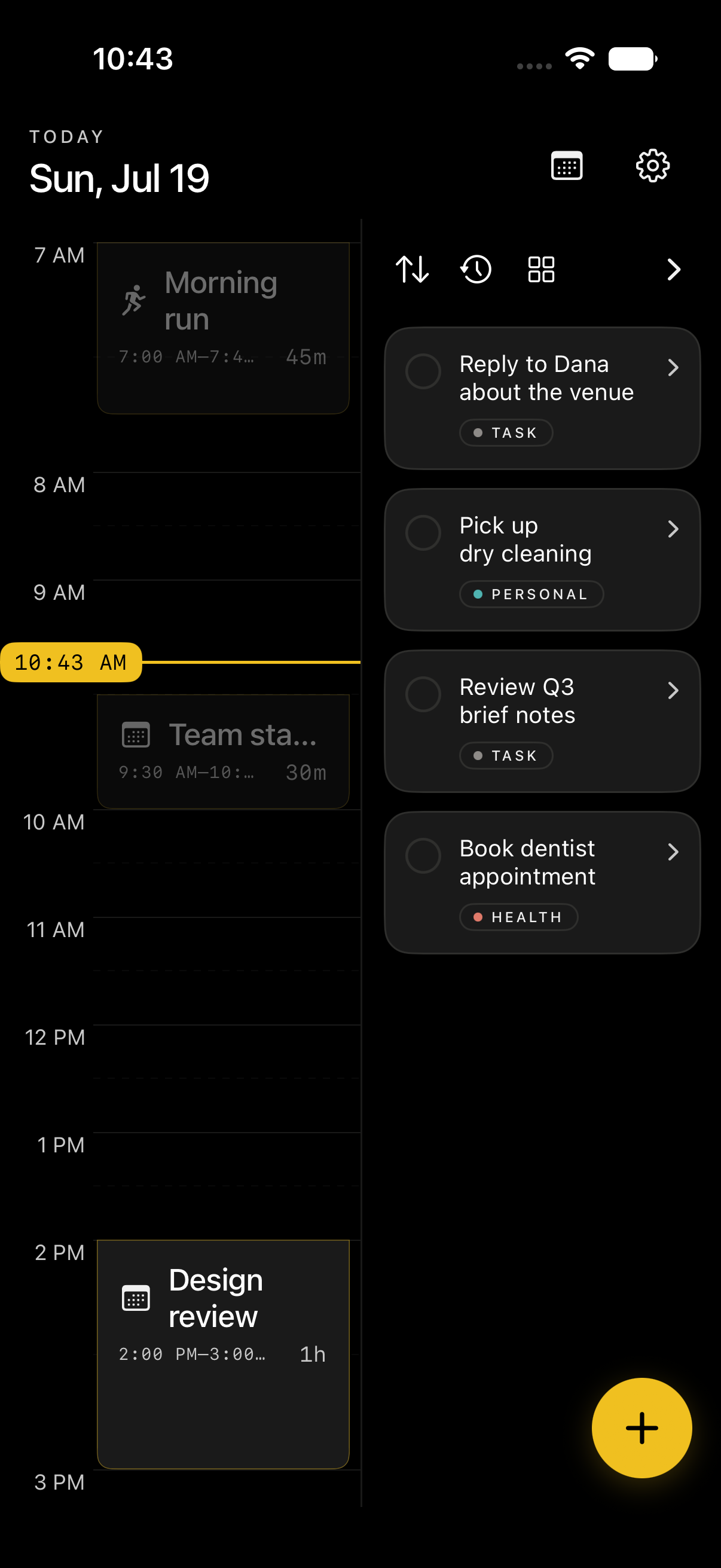
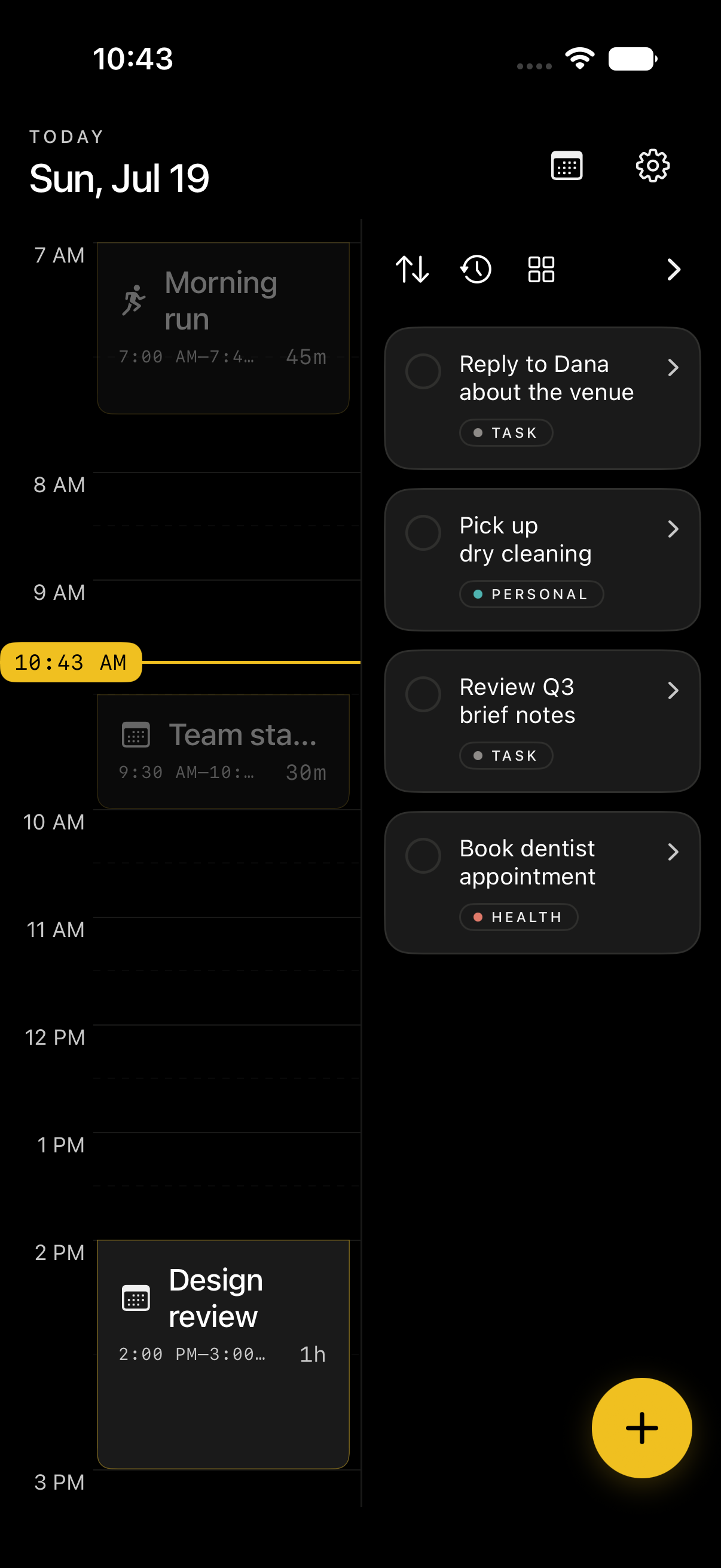
Timeline
Your whole day — workouts, plans with friends, and family — in one view.
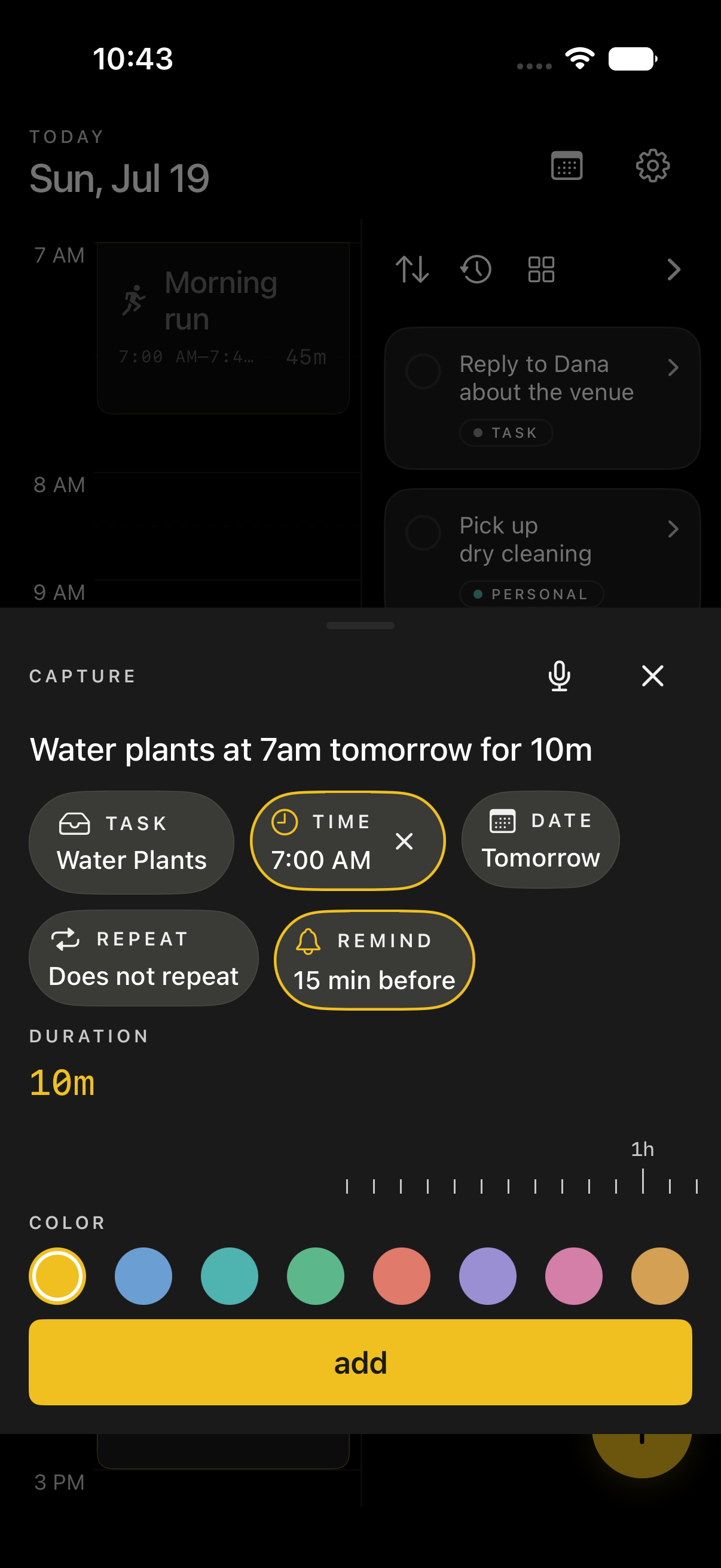
Capture
Type naturally. Flux pulls out the time, date, and duration.
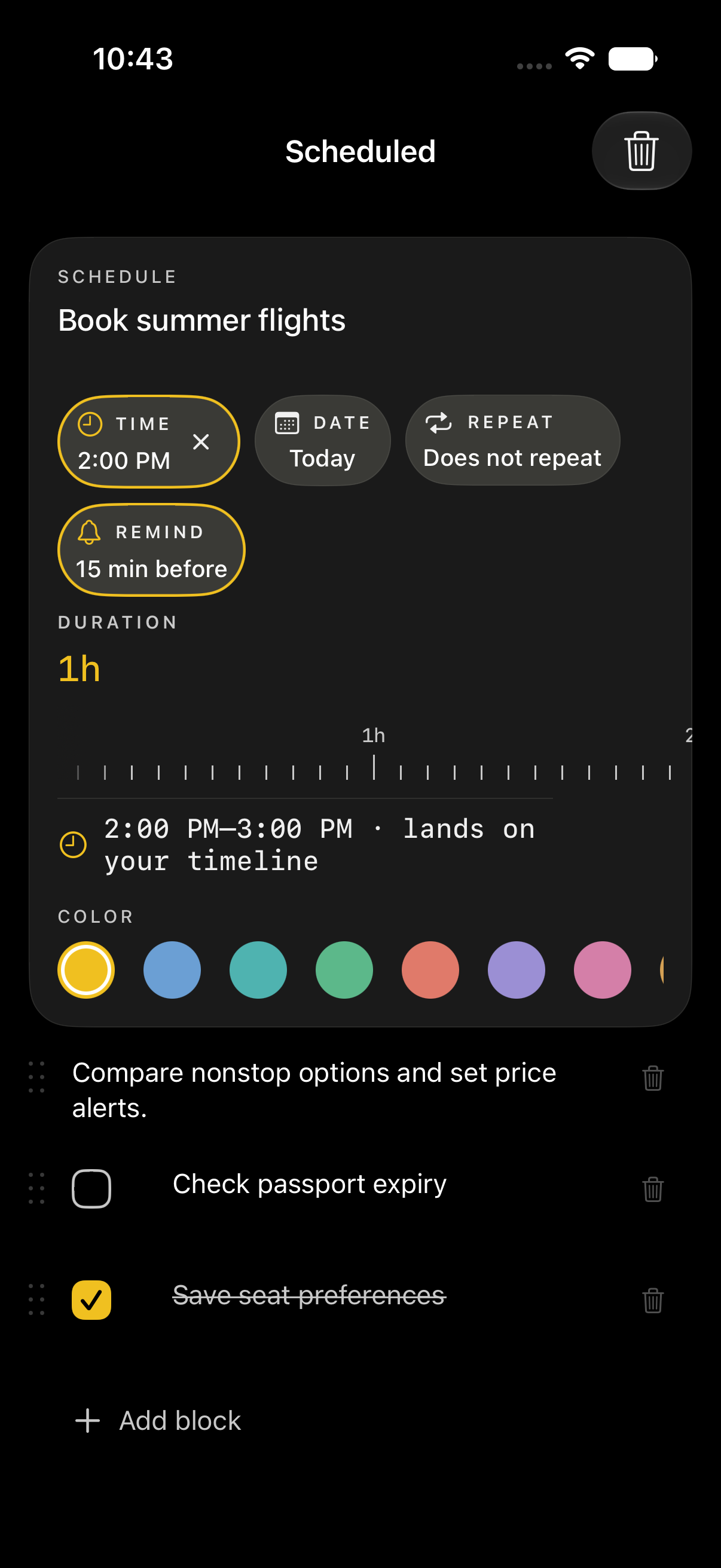
Task page
Open any task into a focused page with schedule and details.
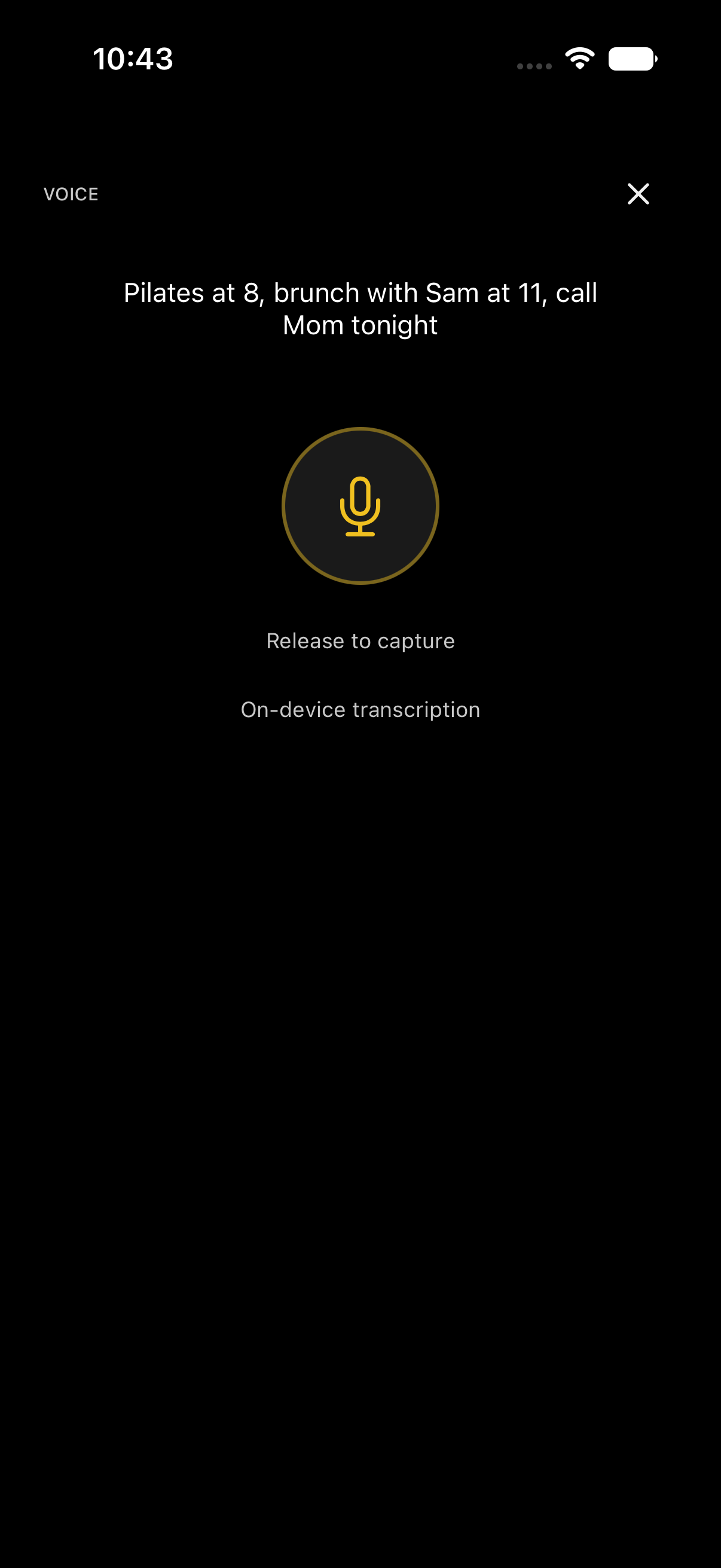
Voice ramble
Hold the mic and talk through your day — Flux turns it into tasks.
Features
Calm, precise, engineered — like a cockpit instrument. Everything you need, nothing you don't.
Capture
Type or speak tasks with times and durations. Flux parses intent on device — "gym at 6 for an hour" lands on your timeline.
Timeline
Scheduled tasks, calendar overlay, and the live Now line share a single grid. Time is the list.
Pages
Every todo opens into a focused page — title, schedule, subtasks, notes, and attachments without leaving the flow.
Voice
Hold the mic and talk naturally. On-device transcription keeps speech private; optional Cloud AI turns ramble into tasks.
Areas
Group work, personal, and side projects into areas. Filter the timeline without fragmenting your day.
Everywhere
Today's agenda on your Home Screen. Shortcuts and Siri intents for capture and completion on the go.
Flux Pro
Flux is free to use — timeline, capture, sync, widgets, and on-device voice transcription included. Flux Pro unlocks unlimited cloud AI voice parsing and 1 GB of attachment storage.
Subscriptions auto-renew unless cancelled at least 24 hours before the end of the current period. Manage or cancel in your Apple ID account settings. Payment is charged to your Apple ID at confirmation of purchase.

Privacy
Flux does not sell your data. The marketing site uses privacy-friendly Vercel Web Analytics (aggregate page views only — no cookies, no cross-site tracking). Speech is transcribed on your device. Cloud AI sends only transcript text — never your name, email, or account — and you can turn it off in Settings → Privacy.
Read the full privacy policyFAQ
Yes. The core planner — timeline, capture, sync, widgets, and on-device voice transcription — is free. Flux Pro is an optional upgrade for unlimited cloud AI parsing and 1 GB attachment storage.
Yes. Sign in with Apple keeps setup fast and private. Hide My Email relay addresses work normally.
Your tasks and attachments sync to Supabase (encrypted in transit via HTTPS). Session tokens stay in the iOS Keychain — never in UserDefaults.
Yes. Settings → My Account → Delete Account permanently removes your data, attachments, and auth record.
Yes. Settings → My Account → Export Todos downloads a JSON file of your todos.
Only if you enable "Show calendar events." EventKit data stays on device and is used to overlay your timeline — it is not uploaded to our servers.
When enabled, voice transcript text is sent through our Supabase function to Google Gemini to suggest tasks and times. Free accounts include 10 cloud parses per month; Flux Pro is unlimited. Turn it off anytime in Settings → Privacy.